
Fix My Speaker
Fix Your Phone Speakers in Seconds — FREE & Safe
No downloads. No risk. Works on iPhone, Android & more
Did you drop your phone into a toilet, pond, bucket, or accidentally leave it in a place where water moves inside the speaker and sound is muffled or distorted? It’s a panic situation; leaving any moisture inside the speaker can cause serious issues in the speaker.
Luckily, the Fix My Speaker web-based water removal tool has a solution. Just tap the button to eject water, dust, and debris with a strong frequency. Moreover, it is safe, free, fast, supports all smartphones, and has a water ejection feature like the Apple Watch.
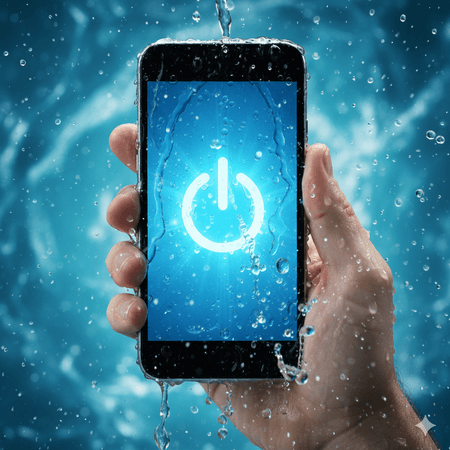
How it works
Fix My Speakers uses specific sound wave technology (165Hz to 1000Hz). These waves generate vibration in the speaker diaphragm and excite trapped water droplets, dust, and debris with strong pushes using different modes, i.e., Sound and Vibrate modes. Thus, the speaker returns to their original form and starts working like a regular speaker. It is safe, non-invasive, and prevents water FAGE.
Easy Steps to fix phone speaker
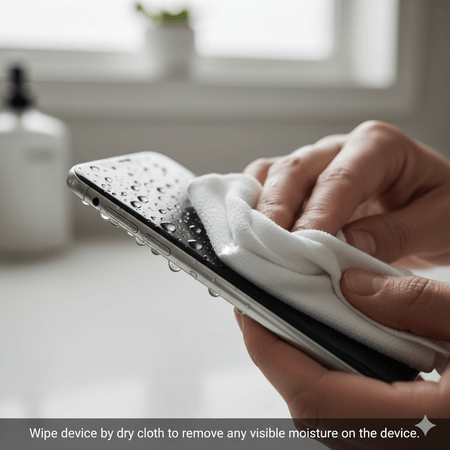
Wipe your device
Wipe your device by dry cloth to remove any visible moisture on the device. It’s better for device before running app.
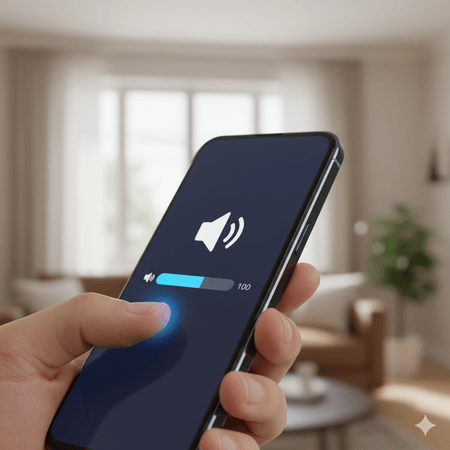
Increase volume
Increase volume to maximum, high volume of phones will more vibrate and eject moisture, debris and dust easily.
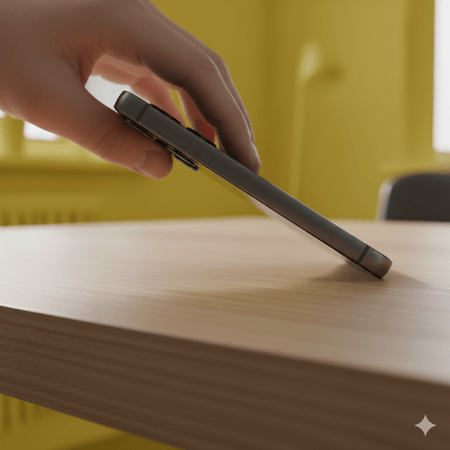
Position
Place the phone in a position where the speakers on flat surface like table and face down.
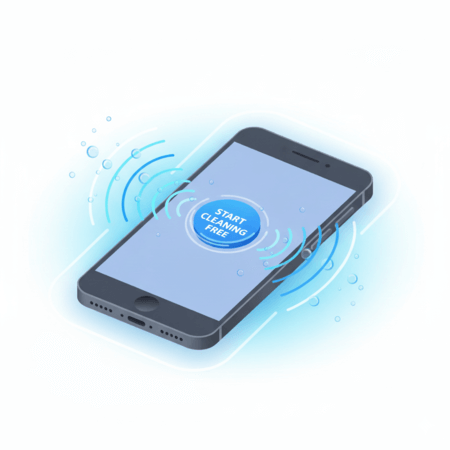
Start Cleaning
Press the “Start Cleaning Free” Button to start cleaning.
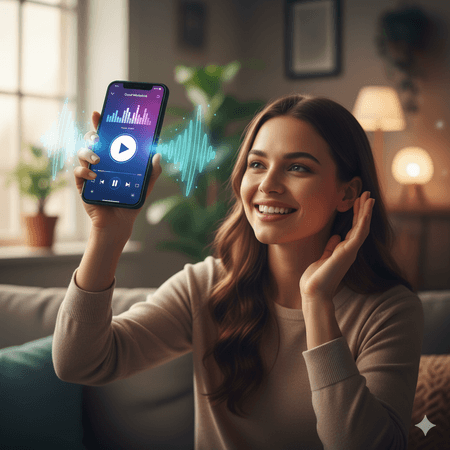
Test sound
After the process completes, test the speaker’s sound, playing music of phone or online YouTube videos.
Repeat Process
Repeat the process 2 – 3 times if you are sure that water still exists in the speaker.
Features and Benefits of cleaning sound
WATER EJECTION
The primary function of this cleaning app is to remove water droplets and moisture from the speaker pro. Additionally, clean dust, debris, and other tiny particles exist in the speaker chamber. These unique features are very beneficial for users.
Compatibility
This sound remover app is compatible with all devices that have a speaker, such as iPhones, laptops, desktops, iPhone 11, iPhone 12, OPPO, Bluetooth speakers, Motorola, call speakers, earbuds, and other devices that possess a speaker.
Ease of use
The sound remover app has user-friendly interface. A common man which is illiterate can use it. It’s just tap button and app start removing moisture with high frequencies.
Safety
The app cleans your device speaker safely; there is no need to open its physical parts. It removes water without any harm, which is the safest method instead of physical methods that may cause damage.
Improved Sound Quality
Regularly using this app will remove any debris stuck inside speaker mesh, improves it sound performance and increase it is life span. Using this app it’s sound never muffled.
Cost saving
This app doesn’t need to pay for use or getting a new phone. Using this app not only restore your speaker but also save money.
Convenience
This cleaner app has easy access, you can use it anytime from anywhere and its use is very easy, also no need to wait for professional. If you feel any problem, you can fix it with few taps in minutes.
Preservation
Keeping your speaker clean maintains not only speaker quality but also extends its lifespan and prevents severe damage.
Preventive Measures To Avoid Water Damage
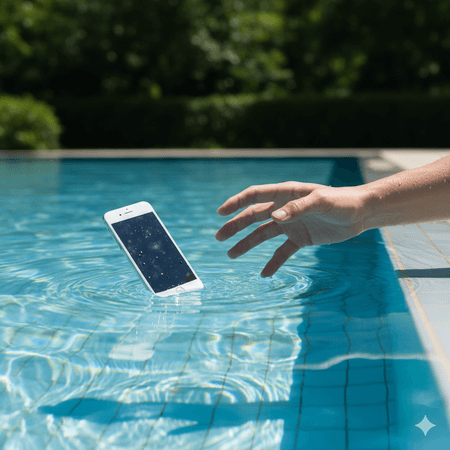
Charge only after drying:
Never charge the phone until it is dry well, because it may cause a short circuit if moisture remains inside.
Keep your phone away from water:
Don’t use your device near flowing water, a pool, a toilet, or during rain without proper protection.
Use waterproof case:
Use a high-quality waterproof case to protect your phone whenever it is accidentally dropped in water.
Avoid using phone in high humidity Areas:
Avoid using the phone in areas with high humidity, because the moisture in the air may move into the speaker and harm it.
Don’t Blow Air directly into speaker
Blowing water out through mouth or hair dryer cause push water droplets deep.
Switch off phone during eating:
Many people use phone while eating food, it’s not good because drinking water or other food liquid may move in speaker and can muffle its sound.

Don’t rely on Rice:
Some people use the rice method to dry a phone; it is not as helpful as this tool because it dries moisture on the surface of the phone, not inside the speaker grills.
Common Speaker Issues and Solutions
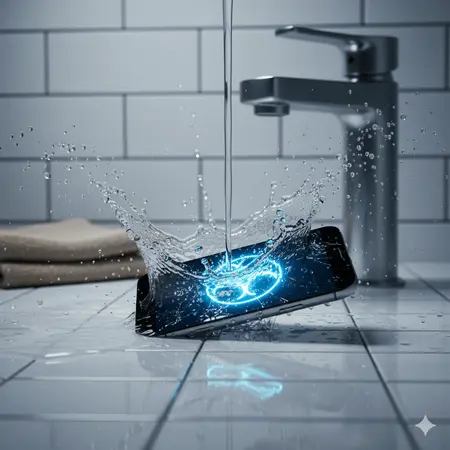
- Regularly test your speaker: Use test mode of this tool to test speaker sound, if any issue detected, fix it using this app to maintain its sound.
- Low Volume Problems: With time, debris and dust build up, which makes your speaker dim. This tool brings back your sound to normal by cleaning the dust and debris from the speaker mesh.
- Gritty Distortion: Sometimes speaker sound is gritty and harsh its main reason is oily dust stuck inside speaker mesh. This app generates vibration sound to clean speaker and restore sound back.
- Unpleasant Audio Quality: Sometimes giving a phone to kids while their hands are dirty, debris may enter the speaker mesh and cause unpleasant audio quality. If you face this problem, use sound remover to clear sound.
- Water damage: If water accidentally enters the speaker, the sound will dim, which can be painful. Use the vibration app to remove the water and restore the sound to normal quickly.
- Crackling: If your internet connection is unstable or dirt is stuck inside the speaker grill, it can cause a crackling sound from your speaker. This app will help remove or reduce the crackling due to dust.
- Blown Speaker Sounds: Sometimes your device speaker starts producing a buzzing sound, which many people mistake for a blown speaker. But often it’s just debris trapped inside the speaker mesh. This app uses sound-wave vibration to clear out the blockage quickly.
Note:
This app can’t assist with physical damage or other hardware-related issues except those mentioned above. For hardware-related issues, visit a professional to fix them.
Steps to Remove Water from Phone Speakers
Accidentally dropping your phone in water is risky, but acting quickly can save it from severe damage. Follow these steps:
Remove it Quickly
Immediately remove your device from water. Spending less time in water has many chances to save it from a short circuit or any hardware damage.
Shut down immediately
If your phone is on, immediately switch it off to avoid hardware damage.
Dry the exterior
Water inside the device increase the chances of a short circuit. Use a microfiber cloth to wipe the device safely. Don’t shake the device because it may spread water.
Avoid Heat Sources
Almost everyone refers to sunlight and a hairdryer to heat a phone directly, but this is not a useful method because it can further damage the phone
Silica gel or rice
Place the device inside the container, ensuring that all sides of the device are covered with silica gel packets or rice. This method will completely absorb moisture within 48 hours.
Wait before powering on, Check before use
Wait before 48 hours as recommended: switching on before the recommended time may cause serious damage. After that, check if it has dried properly, then attempt to turn the device on. If it does not power on or appears to be off, seek professional assistance.
How to Clean Water from the Speaker
Dropping your phone into water by mistake can be dangerous, but quick action may prevent serious damage. Follow these steps:
Take Your Phone Out Immediately
As soon as possible, remove it from the water immediately. The less it stays inside, the more chances of saving.
Turn it off immediately
Switch off your phone quickly; it is risky to keep it on because it may cause short circuits.
Remove Accessories
Remove the protector case, memory card, SIM card, and peripheral devices. This helps to dry and recover quickly.
Dislodge Water
Carefully shake your phone with the speaker side facing down. Then wipe with an absorbent and soft cloth; this helps to remove water and increase the chances of saving from damage.
Vacuum Technique
Use a vacuum cleaner’s small nozzle to get out water and debris from the speaker. Confirm that the nozzle is not too close to the phone’s rear parts to prevent any damage.

Use a Water Eject App
Use a water remover sound like (FixMyspeaker tool) at high volume. The vibration helps to push out water from the speaker grills.

Silica Gel Absorption
Place your phone in any container covered with silica gel. This absorbs moisture effectively, an excellent way to dry phone.

Dry in a Ventilated Place
It is harmful to use a hair dryer or direct sunlight, as it may cause a short circuit in the speaker’s internal parts. Instead, leave your phone in a cool, ventilated area for 12 hours.
Professional Assistance
If you repeatedly turn on and off, and still no sound is heard, it’s best to seek professional help.
Methods and Cleaning Tips to Clean Phone Speakers
Here are other methods to clean my speaker from water and dust below are given:
Rice method
Turn of device:
Shut down the phone immediately after getting out of the water. Avoid testing because it’s causing damage. Also, remove any removable parts, such as the cover, protector, battery, SIM card, SD card, and other peripheral devices.
Dry it:
Dry your phone with a Microfiber cloth, and confirm to remove as much moisture as possible before the Rice approach.
Prepare Rice Container:
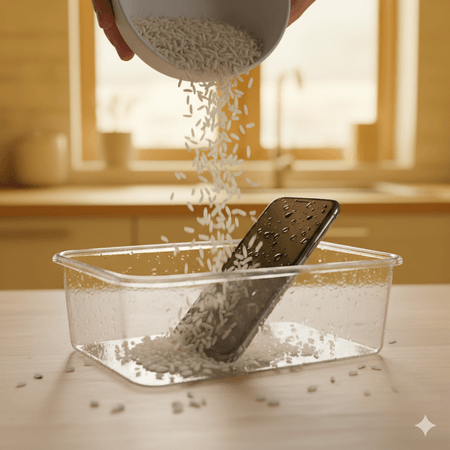
Put uncooked rice in a Tupperware container, then Bury Your Phone in rice, ensuring the lid is sealed.
Wait 24–48 hours:
Put your phone inside a container for 24 to 48 hours; a longer wait is more effective for moisture absorption.
Clean Off Rice Dust:
Pull your device out of the rice, wipe it well with a cloth or a soft brush around the charging port, speaker grills, and device surface, anywhere rice dust particles get stuck.
Test Your Phone
Turn it on, check the sound is clear. If the issue is not fixed, then you have to go to a professional repair service near you.
Comparison
Fix MY Speaker app is producing high-frequency sounds, working scientifically, which is cheaper and safer. No need to remove parts or be risky like rice stuck inside speaker grills, and fix the device speaker in just two minutes.
Silica Gel Method
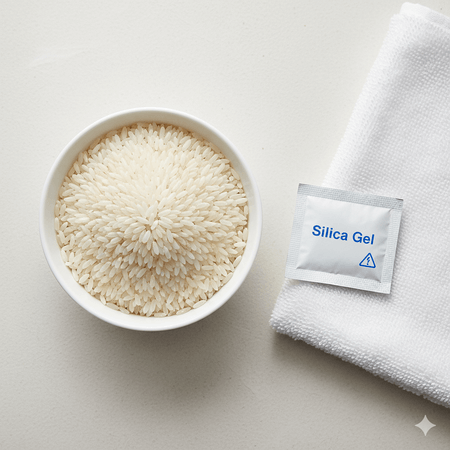
Silica gel packets are moisture-absorbing and can be found in many new devices, such as laptops, tablets, and other electronic devices, to maintain dryness. Follow these steps to fix a speaker.
Turn Off Device & Remove Parts (SIM, battery)
Shut down the device, remove all removable parts like cover, protector, battery, SIM card and SD card to prevent further damage.
Dry It
Before keeping your phone in Silica gel packets, dry it with a cloth. Ensure the phone is thoroughly spotless and has no moisture on its surface.
Collect Silica Gel Packets
Collect silica Gel Packets, which can be found in laptop boxes, shoe boxes, and chewing gum boxes. Get a perforated plastic box that has no holes and place all the packets of Silica Gel inside it.
Place Device in Container
Place the device inside the container and make sure that all sides of the device are covered with silica gel packets.
Seal and Wait 24–48 hours
Seal the container tightly for 24 to 48 hours. This will prevent external air from entering the container, and the Silica Gel packets will effectively absorb moisture.
Remove & Dispose Packets
After enough time to absorb moisture, unseal the container, take out the device, and dispose of the used silica gel packets. Clean the device with a soft brush well.
Reassemble and Test Device
Reassemble your phone, turn it on, and test functionality. If it’s not turning on or turns on but does not eject clear sound, or does not work correctly, then seek a professional near you.
Conclusion:
Using this method, first switch off the device. Remove any removable parts, dry it, collect silica Gel in a container, place the device inside the container, seal and wait, remove & dispose of the packets, reassemble and test the device. This method takes time to dry; you will need to stay at least 24 hours while sound remover app cleans the speaker instantly.
Soft Brush Method
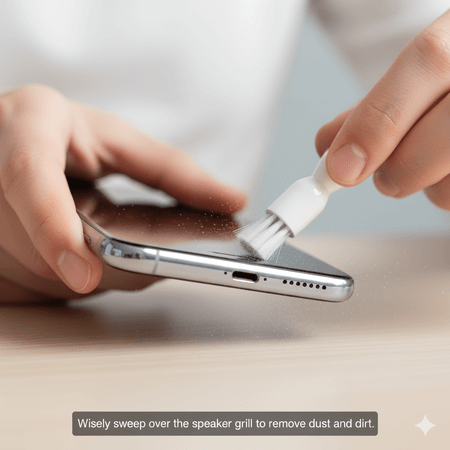
One of the easiest ways to remove dust from a phone’s speaker is by using a soft-bristle brush.
Here’s how you can do it easily.
Take a small, clean soft-bristle brush.
Wisely sweep over the speaker grill to remove dust and dirt
Keep your strokes light, so you don’t press deeper into the mesh.
After brushing, clean with dry microfiber cloth.
This method removes surface-level dust, but if you press hard, it may damage the speaker grill. That’s why people prefer a sound cleaner tool, which is safe, free, needs no tools, and cleans dust within minutes.
Compressed Air Technique
Steps to remove dust:
Get a can of compressed air.
Hold your phone at a distance of 1.3 cm from the Can Nozzle to avoid dust pushing deeper inside the speaker grill.
Spray short, instead of a continuous flow of air, do controlled bursts.
After cleaning, use a dry microfiber cloth to remove any remaining debris. The compressed air method is better for light dust, but it can cause damage if it continuously bursts close to the speaker. To prevent any risk, use a safer and cost-effective sound cleaner app that instantly removes dust and debris from the device’s speaker.
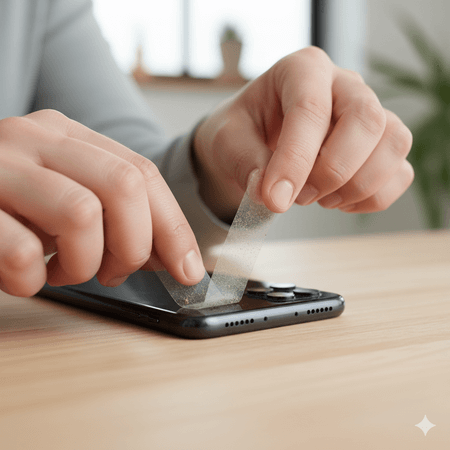
Adhesive Tape Approach
This method is common and inexpensive for cleaning dust and debris inside the speaker.
Steps to follow
Take a clean piece of adhesive tape.
Gently dab the tape over the speaker grills.
Repeat for some time, and dust and lint will stick to the tape.
Remove the used tape and clean the area with a dry cloth.
This method is effective, but it cleans the surface area of the device, not deeper debris or dust stuck inside the speaker grill. For a quick and better solution, this app is more effective.
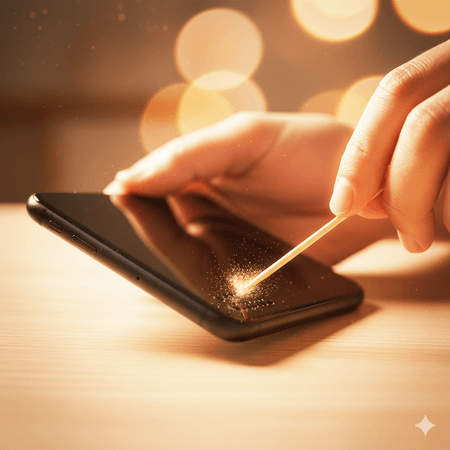
Toothpick / Needle Cleaning
Many people use this method to remove dust and debris inside the speaker. It is cost saving and easy to do.
Steps to follow
Take a fine sewing needle or a wooden toothpick.
Hold your phone under the lighting to see the speaker clearly.
Wisely insert the tip and scrape any dust or debris stuck inside the speaker grills.
After this, wipe the area with a dry cloth to remove remaining particles.
This method is helpful to remove dust and debris, but pressing the needle hard may damage the internal parts of your device. Instead of this, use this app, which is better and has zero risk.
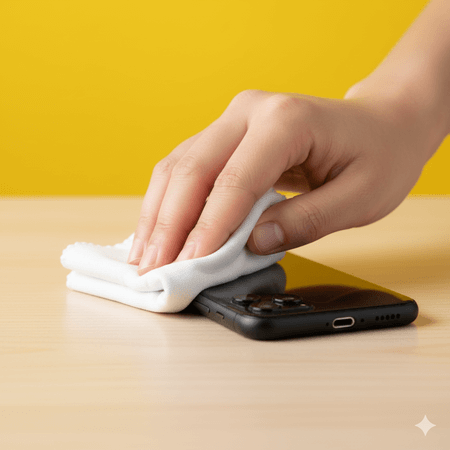
Dry cloth wiping
The easiest way to clean dust and dirt inside speaker grills is to use a microfiber cloth.
The following are the steps to follow.
First, switch off the device.
Take a dry microfiber cloth.
Clean the speaker surface and its surrounding area well.
Don’t press the cloth inside the speaker grill.
This method is helpful because it leaves no scratches, but it can’t clean the speaker inside, so use this app to clean inside dust, debris, or dirt safely.
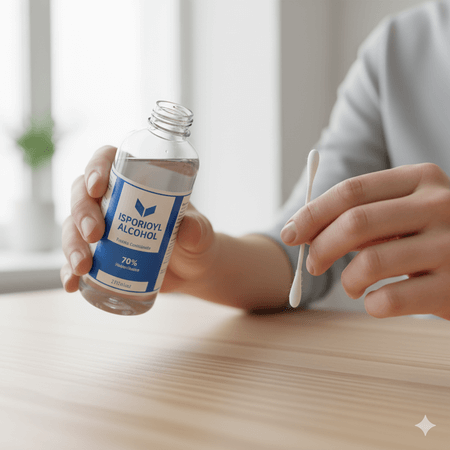
Rubbing Alcohol Cleaning
This method is helpful when nasty stuff is stuck to speaker grills and the sound is not clear.
Take a soft cotton swab and attach a small piece of thin wood to it.
Dampen it in the isopropyl alcohol (70% or higher)
Gently rub a cotton swab around the speaker grill (external only).
Afterward, when dry, turn on the phone.
Isopropyl alcohol is evaporated immediately, but if accidentally poured inside the speaker grill, it may damage the device, which is risky. Due to this, many people prefer the Fix My Speaker app.
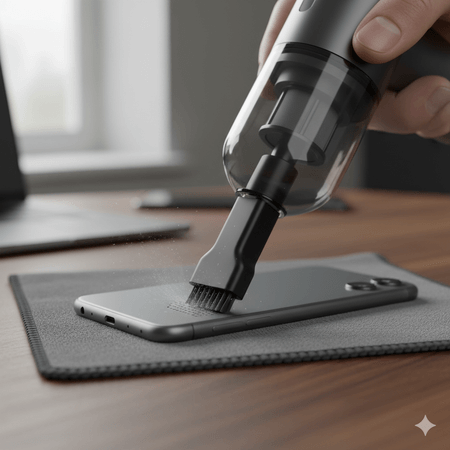
Vacuum cleaner suction
How to do it (simple steps)
Completely turn off the phone.
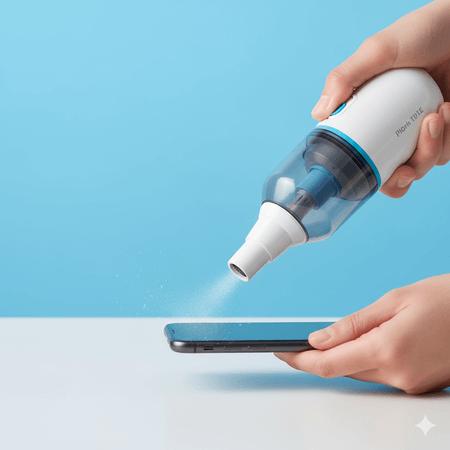
Take a small handheld vacuum cleaner.
Make sure the nozzle is 1 -2 inches away from the speaker grills.
Use short bursts instead of continuous suction.
This technique is effective, but continuous suction may damage the device’s speaker. That’s why many mobile experts prefer the sound-cleaner app.
Myths and Facts About Fixing Water-Damaged Speakers
Myths
Rice Will Fix Everything: You may have heard that a completely submerged, water-damaged phone in a bowl of rice can be fixed. Rice absorbs moisture externally, not inside and rice may get stuck in the internal parts of the device.
Loud Music Will Remove Water: On different platforms, people suggest loud music to dry the speaker from water. This practice is unsafe; the maximum volume moves wetness deeper and may cause a short circuit.
Use hair dryer to dry quickly: Some suggest using a hair dryer or sunlight to get out water droplets, which seems logical. According to mobile experts, excessive heat can cause internal parts to melt or push droplets into the device.
Heat Will Speed Up Drying: Drying device using hairdryer or direct sunlight is also dangerous it causes damage to sensitive internal parts.
Facts
Instantly Action is Important: As soon as possible, turn off the phone and wipe it with a dry cloth, increasing the chances of saving from the shirt circuit, while waiting long causes harm.
Silica Gel is Better Than Rice: Silica Gel packets are more effective; they are specially designed for drying electronic devices, while the Rice method is just a myth.
Controlled Sound Waves Can Push Out Water: Loud music is not a solution; using the right tool, like the Sound Fixer app, to generate specific sound frequencies between 165Hz and 1000Hz creates vibration and pushes out water effectively.
When to try DIY (Do it yourself) Repair?
If you face the following issues then try DIY
Superficial Issues:
Some issues are superficial, affecting only the external layer, not the internal parts.
These include:
Muffled sound when using the phone in the rain or in the bathroom
Moisture on the surface:
Dust or debris is stuck inside the speaker grills.
These issues can be resolved at home without incurring repair costs, such as by wiping with a microfiber cloth, using a sound frequency tool, compressed air, or a soft brush.
Unattached wire issue:
Wires are loosened sometimes while working, which is a simple issue; reconnect it confidently and solve the matter.
Software problems:
Sometimes, a muffled sound is generated due to outdated drivers or sound settings. It’s a simple solution; fix it according to the manufacturer’s instruction Guide or online.
When to call Professional
If issue not solved by DIY, it signs of internal parts damage or hardware problem. It’s time to call professional. Repeatedly using DIY methods might worse device.
Need Expert Help if:
Physical Damage:
If something is physically wrong with the speaker, such as the Speaker grills being bent, the mesh torn, dust stuck too deeply, or broken.
Severe or Deep-Water Damage:
If the phone is fully submerged in saltwater, pool, or in soapy water a long time, it needs an expert to prevent further damage.
Speaker stops working:
If you notice that the phone is not charging, shuts down, overheats, and produces no sound at all (including calls, music, and ringtones), then seek expert assistance.
Repeated Muffled or Distorted Sound:
If a muffled sound remains after multiple cleaning attempts, it indicates hardware damage or a deeper blockage.
Warranty consideration:
Don’t open the phone or fix it with DIY methods, if its warranty has not expired yet; first check it with the manufacturer to repair it.
Comparison fixes my speaker with other apps
| Features | Fix my speaker | Other apps |
| How it works | Advanced app (65Hz-100Hz) scientific to break water damage surface tension | Basic single tone sound |
| Water Ejection | Yes, fully removes moisture | Limited, Remains moisture |
| Dust removal | Removes dust with high frequency | Not capability to remove like this app |
| Steps to use | Simple steps to removes dust & water droplets | long process to fix speaker |
| Modes available | Basic mode and Test mode | Confusion many modes |
| Compatibility | Yes, many devices like laptop, mac, I phone, Apple, | yes they also provide compatibility |
| Guidance | Step-by-step guide, visuals | Yes, but not visuals |
| fees | Free | Force to watch ad before use |
| Common questions | Yes, FAQ section available | Mostly not cover all questions |
| Regular update | Frequently | No update |
| Ease of use | A common man can use it | Boring interface |
| Safety | Yes, not harmful | Yes but not advance |
| Preventive tips | Provide full details | Not available |
They love to Fix MY Speaker
⭐⭐⭐⭐⭐
“I thought my phone speaker was dead after it fell in water — but Fix My Speaker literally saved it!”
Within seconds, the buzzing sound disappeared and audio became crystal clear again. It’s unbelievable that a free online tool can work this fast.
– Sarah M., iPhone 13 user
⭐⭐⭐⭐⭐
“This tool actually works! I tried rice and loud music before, but nothing helped.”
Fix My Speaker removed the muffled sound from my Samsung in less than 30 seconds. It’s clean, safe, and doesn’t need any app download.
– Ahmed Khan, Samsung Galaxy user
⭐⭐⭐⭐⭐
“Best speaker cleaner ever — simple, fast, and safe.”
I was skeptical, but the sound waves really push out the trapped water and dust. I recommend using it every week to keep your phone speakers clear and fresh.
– Emily R., Google Pixel user– Ahmed Khan, Samsung Galaxy user